VAT Returns.
Done.
Built for one job: Making Tax Digital for VAT. Nothing else to learn.
Not accounting software with VAT bolted on. Log your sales and purchases, check your nine boxes, and submit when you're ready. No spreadsheets. No bridging software.
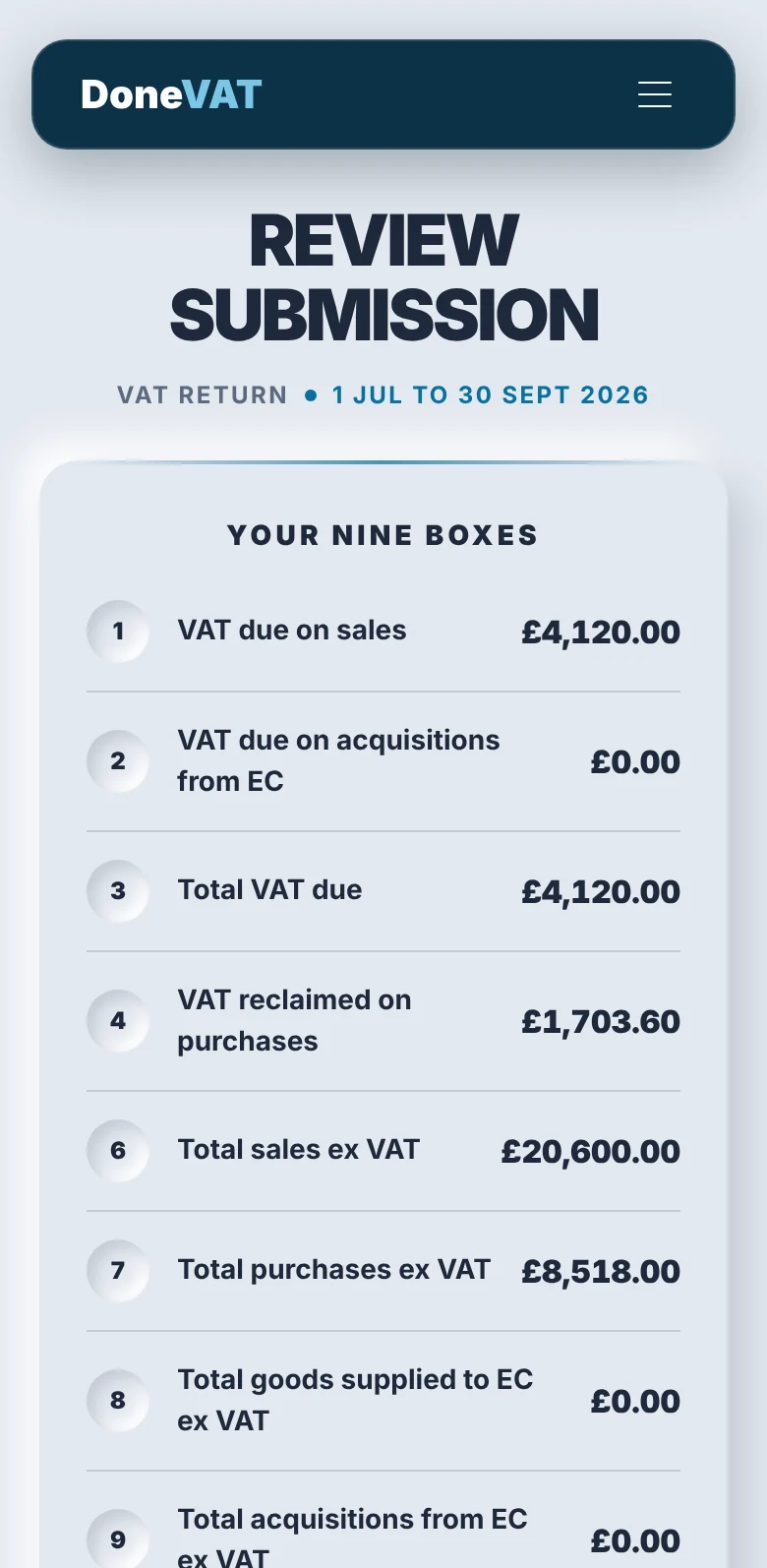
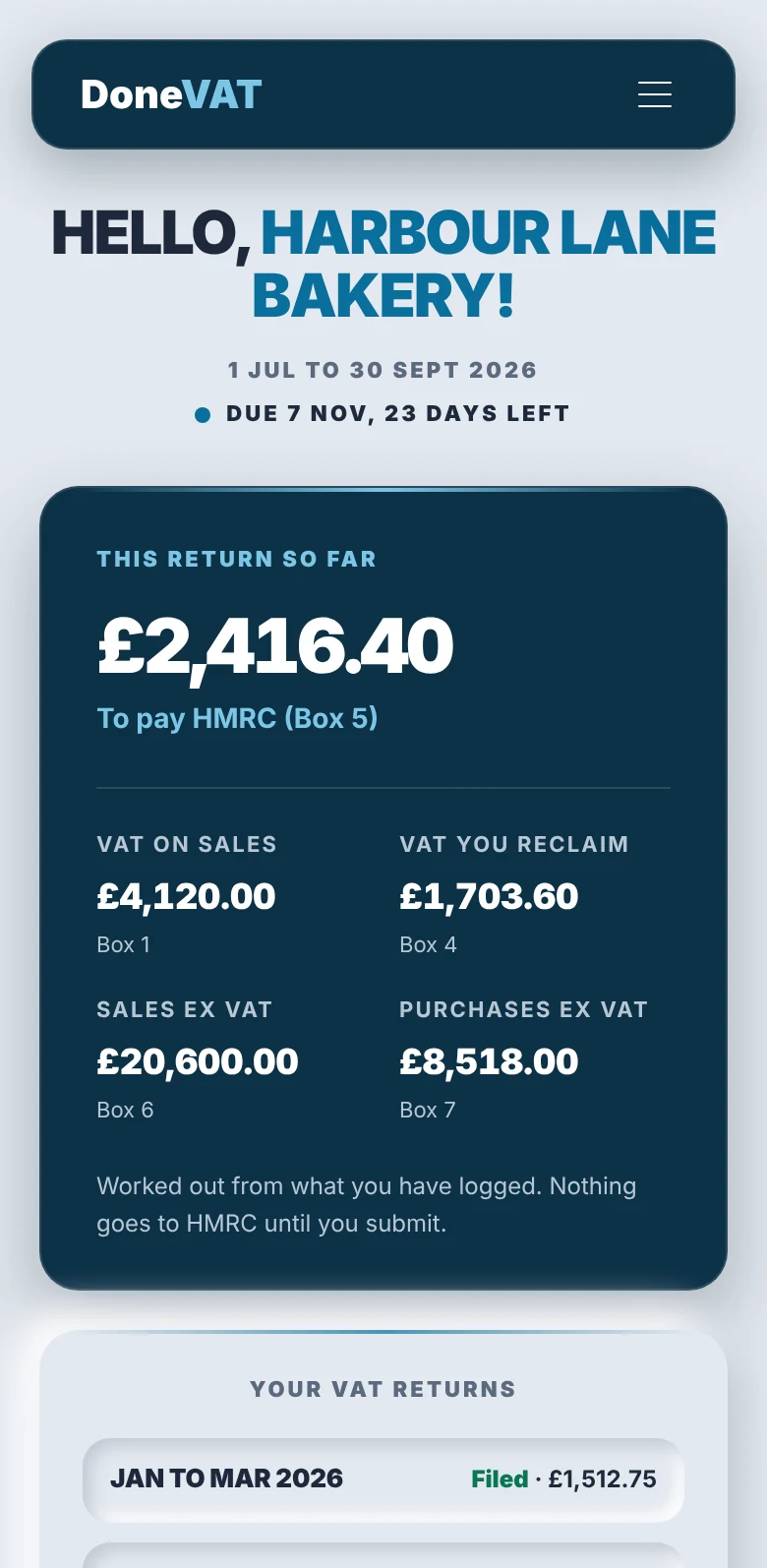
Test account · sample data
See it in action
Take the tour.
A walkthrough on a sample account, from signing in to submitting your VAT return.
Test account · sample data
What you get
Everything you need
for Making Tax Digital for VAT.
Sales and purchases, logged
Enter what came in and what went out, with the VAT rate on each line. The digital record you are required to keep, kept in one place.
Nine boxes, calculated
Every box on your return is built from what you have logged, and shown to you in full before anything is submitted.
Every scheme covered
Standard accounting, cash accounting, the flat rate scheme with its cash and retailer methods, and annual accounting. Choose yours once and DoneVAT applies it.
Nothing goes until you submit
Logging or changing a figure never sends it to HMRC. Your return only goes when you choose, and you get HMRC's receipt when it does.
What you owe, what you've paid
Your VAT liabilities and payments, pulled from HMRC and shown alongside your returns, so you always know where you stand.
Every return at a glance
See which return is open, when it is due, and what has been filed. Annual accounting instalments are tracked too.
No accounting degree required
Log. Check. Done.
If your business is VAT registered, Making Tax Digital for VAT means keeping digital records and submitting your VAT return through compatible software. That can sound like more admin - DoneVAT is built to make it less.
- 01
Step 1: Log your figures
Add your sales and purchases directly into DoneVAT, with the VAT rate on each. Just enter what came in and what went out.
- 02
Step 2: Keep it organised
Record and categorise as you go. Instead of facing a quarter's paperwork at once, one simple place to keep the digital records you need.
- 03
Step 3: Check your return
See all nine boxes clearly before anything is sent. Review what you have entered and make changes if you need to.
- 04
Step 4: Submit when ready
Happy with your return? Submit it to HMRC. Nothing goes to HMRC until you choose to send it.
Work the way you want
Your VAT. Your choice.
DoneVAT starts with a simple idea. You should be able to deal with your VAT return in the way that works for you.
Do it yourself
You keep control
Log your sales and purchases, keep your digital records organised, check your nine boxes and submit when you are ready.
Get StartedUse your accountant
Already have one?
Accountant connection is coming soon. If your accountant uses DoneTax+, you will be able to send them each period's figures in a tap. They review, and you submit when you are both happy.
About DoneTax+Find a DoneLabs Partner
Don't have one?
We're building a directory of independent accountants who are Making Tax Digital ready. Browse the directory to find one near you.
Browse directoryWhen Making Tax Digital for VAT applies
Know when it's due.
DoneVAT keeps track.
Making Tax Digital for VAT applies to every VAT registered business. Your return is due one month and seven days after each VAT period ends. DoneVAT takes your return dates from HMRC and tracks each one.
Step 1 - when you must register
Over the threshold
£90k
If your VAT taxable turnover in the last 12 months went over £90,000, you must register for VAT.
About to go over
30 days
If you expect to go over the threshold in the next 30 days alone, you must register by the end of that 30-day period.
Registered by choice
Voluntary
Below the threshold but registered anyway? Making Tax Digital for VAT still applies to you.
Step 2 - when each return is due
Period ending 31 March
7 May
Period ending 30 June
7 Aug
Period ending 30 September
7 Nov
Period ending 31 December
7 Feb
Annual accounting: one return a year
+2 months
Quarterly dates above are the most common pattern. Your own return dates may differ, and DoneVAT uses the ones HMRC holds for you.
Less than a coffee a month
Simple. No surprises.
No tiers. No feature gating. Everything included. Cancel anytime.
Monthly
That's £59.88 over a year.
Annual
Save 33%Billed once at £39.99/year.
Secure via Stripe · Cancel Anytime
Your VAT. Your data.
Simple doesn't mean careless.
DoneVAT keeps the process simple while treating the information you log with the care financial data requires.
Mistakes can be corrected
If you spot an error after submitting, HMRC lets you correct most errors on your next return. Larger ones are reported to HMRC separately. Either way, a mistake is fixable.
Your HMRC login stays yours
When you authorise DoneVAT to interact with HMRC, authentication takes place through HMRC's authorised process. DoneVAT never sees your HMRC credentials.
Your data is protected
Your information is encrypted and handled in accordance with UK data-protection requirements.
Before you ask
Questions answered.
A note from the founder
Making Tax Digital for VAT has been the law for years, and plenty of small businesses still do it the long way round: a spreadsheet, then bridging software, then hoping the boxes match.
I've spent my career making things people want to come back to. When I looked at this, I saw one of the most boring jobs there is, and a real chance to make it feel simple.
So DoneVAT does one job. You keep your sales and purchases in one place, check your return, and send it to HMRC when you're ready. No spreadsheet, no bridging, and nothing goes until you say so.
There's a word I use more than any other: done. “I'm done” is how most people feel about their tax. “It's done” is how they should feel when they close the app.
That's the name, and that's the job.
Bryan Peppin
Founder, DoneLabs